


How to Reduce Contact Form Spam on Framer
If you run a Framer site with a contact form, you already know how annoying spam submissions can get. You wake up to inbox noise, fake leads, and gibberish messages that waste your time.
The fastest fix is using SpamBlock Pro, a BlueSkies Digital plugin for Framer that takes only a few clicks to set up and can dramatically reduce spam before it ever reaches your inbox.
Why Framer forms attract spam
Most spambots target public forms with predictable field names and simple POST behavior. Once your form URL is discovered, it can get hit repeatedly by automated submissions.
Without filtering, each junk submission still triggers your notification flow and creates manual cleanup work. Over time, this lowers signal quality and slows your response to real leads.
Here is a typical bot-style submission:
- Name: PAsdfmdfsfE
- Email: axejazenoq57@gmail.com
- Phone: 2133493493
- Inquiry Reason: Branding or naming consultation
- Message: NdSLfJUWERrMvPxkDNWfsce
This is exactly the kind of low-quality pattern you want to block. A solution like SpamBlock Pro is built to detect and block this kind of pattern, checking for suspicious timing, spam-like text behavior, and other bot signals, blocking the submission if needed.
How to reduce spam on Framer in 1 minute?
The easiest and quickest way to reduce spam on Framer is to use SpamBlock Pro. It is a plugin that can be added to your Framer project and will block spam submissions before they reach your inbox.
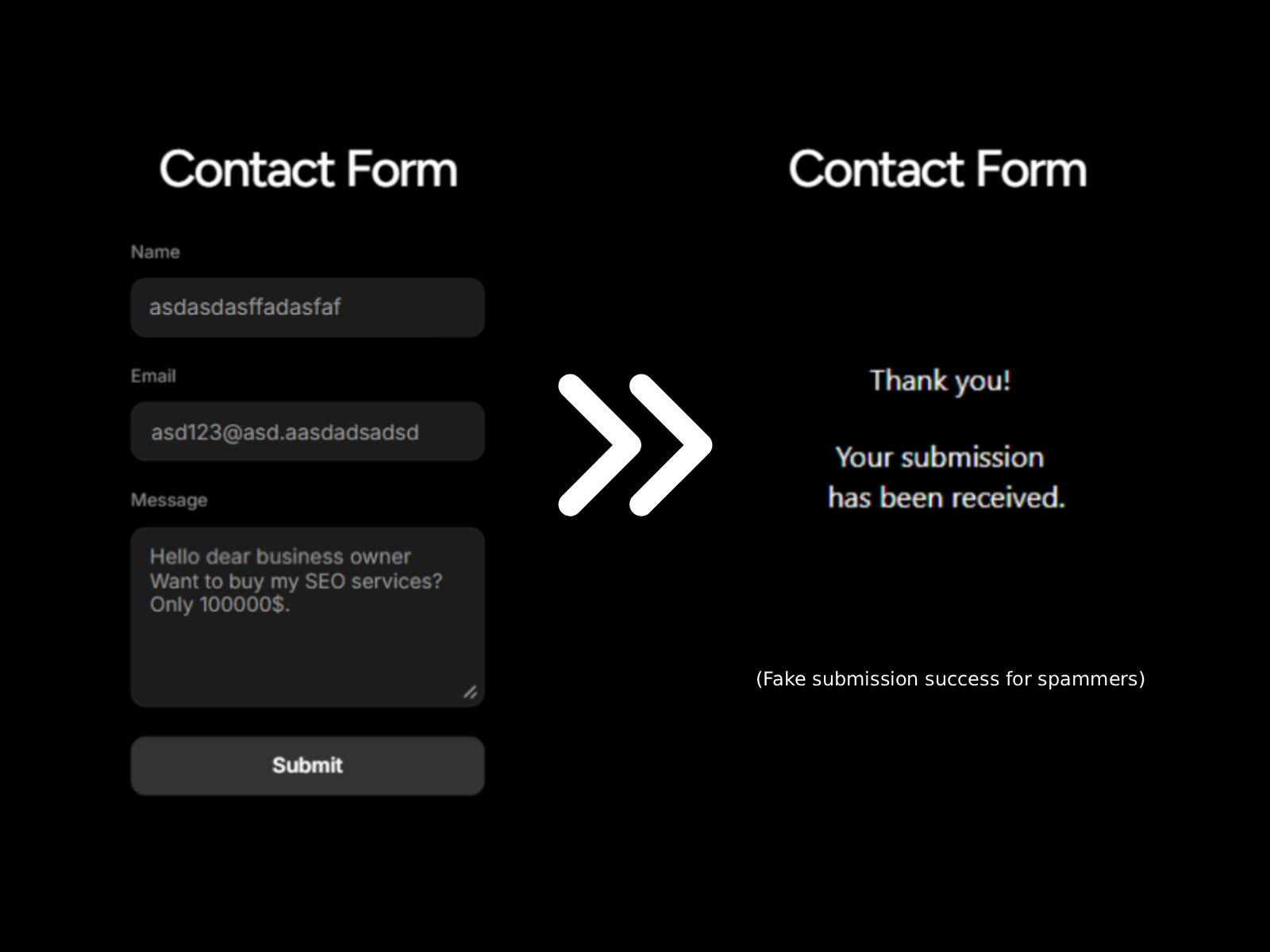
When a submission looks suspicious, SpamBlock blocks it client-side and can return a
customizable fake success message. The spammer or bot thinks the form went through, but the
spammy payload never actually reaches your real inbox workflow. This also prevents you from losing your time on cleaning up spam submissions, and from using up your monthly limit on form submissions.
This quiet handling of spam submissions with a fake success message is useful because it reduces repeated bot retries while keeping your user-facing form experience smooth for real visitors.
Setup in less than a minute
- Add the SpamBlock plugin to your project
- Configure your protection settings
- Apply the code override to your Form
- Deploy and enjoy clean submissions
For teams that need more control, the PRO version includes additional features and customization options, including the Math Challenge for suspicious borderline submissions.
The Quickest Spam Protection Solution on Framer: SpamBlock Pro
Plugin overview:
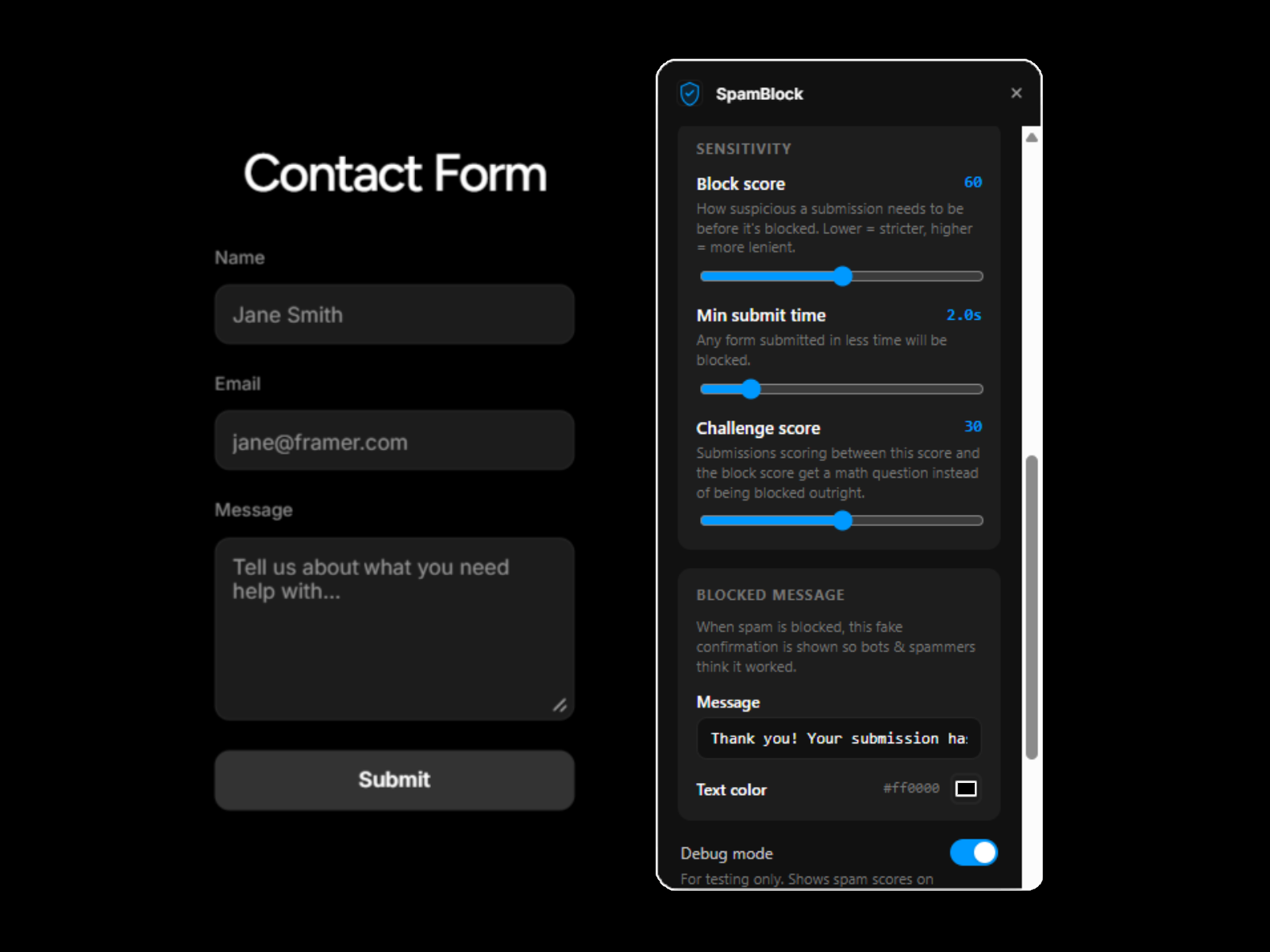
Example of suspicious spam submission being blocked. The spammer is met with a fake success message, and the spammy submission is never actually sent to your inbox:
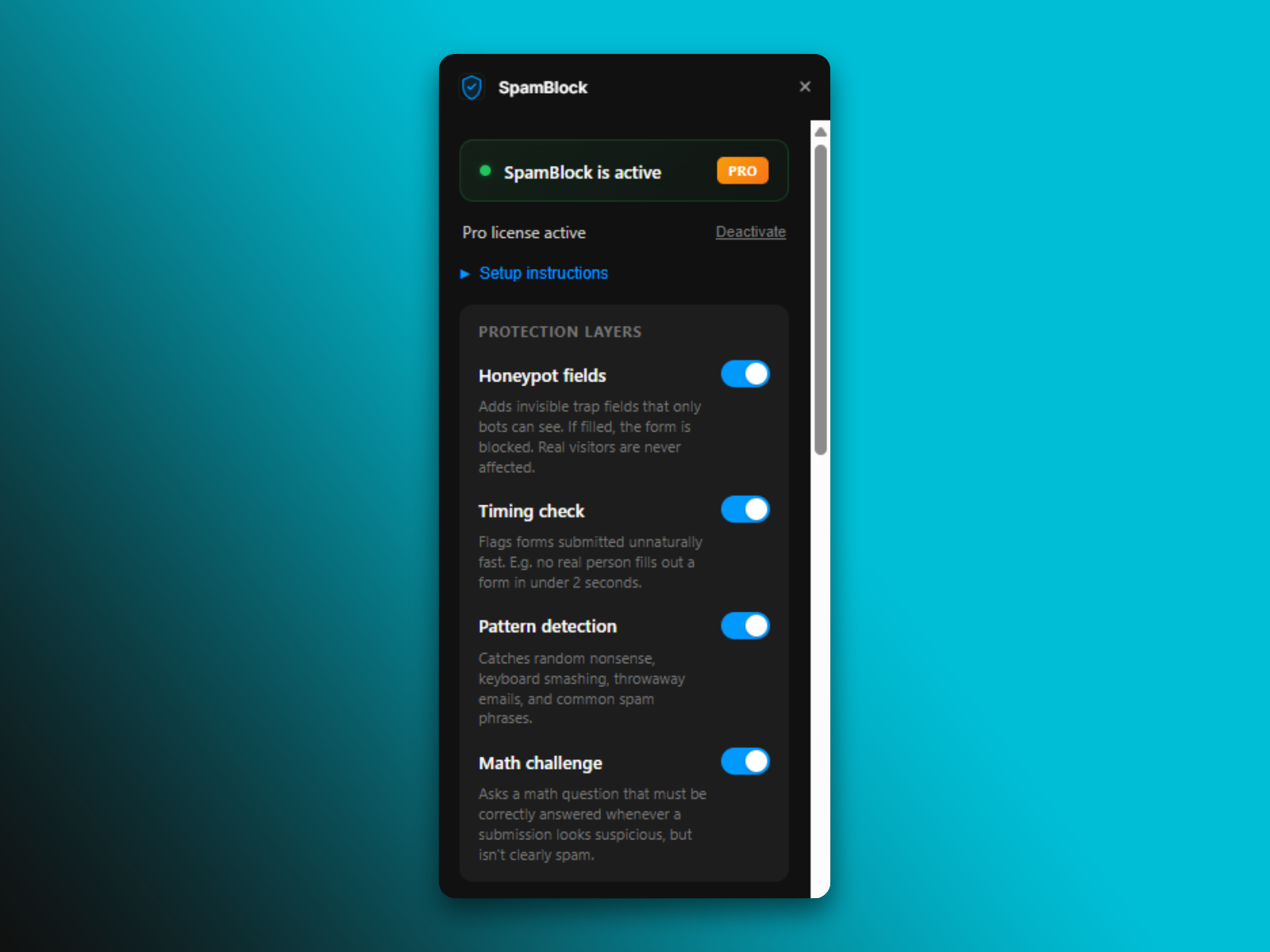
A closer look at the anti-spam features, including the intelligent pattenr detection:
Final takeaway
If contact form spam is draining your time or frustrating you, SpamBlock Pro is one of the easiest ways to cut it down quickly on Framer. It is lightweight, fast to configure, and gives you practical controls as your volume grows.
View the plugin here: SpamBlock Pro on Framer Marketplace .